- Key Features of Harbor
- Advantages of Harbor vs. Docker Hub or Public Registries
- Real-World Use Cases of Harbor
- Basic Setup and Installation of Harbor
- Integrating Harbor into a CI/CD Pipeline
- Advanced Features of Harbor
- Comparison: Harbor vs Other Registry Solutions
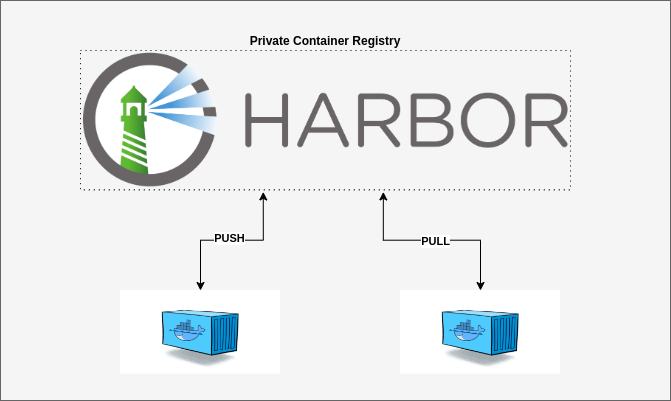
Harbor is an open-source container image registry developed by CNCF and VMware. It’s more than just a Docker/OCI image storage system — it’s a full-featured artifact management platform built for enterprise-level DevOps and CI/CD pipelines.
Key Features of Harbor
Harbor provides functionalities beyond basic Docker registries:
- Role-based Access Control (RBAC) for granular permission management.
- Vulnerability Scanning with tools like Trivy or Clair.
- Artifact Replication between registries across sites or datacenters.
- Private, high-speed registry with full control over data and security.
Advantages of Harbor vs. Docker Hub or Public Registries
| Feature | Harbor | Docker Hub / Public Registries |
|---|---|---|
| Self-hosted | ✅ Full control | ❌ Vendor lock-in |
| Role-based Access Control | ✅ Fine-grained user/team access | ❌ Basic or paid tier |
| Multi-cluster Artifact Sync | ✅ Replication across sites | ❌ Limited support |
| Security Scanning (CVE) | ✅ Integrated Trivy/Clair | ✅ (limited or paid) |
| Secure Storage (TLS, LDAP, OIDC) | ✅ Native support | ❌ Limited |
| Multi-artifact Support | ✅ Docker, Helm, CNAB, OVA, etc. | ❌ Mostly Docker only |
| Project Isolation | ✅ Per-project permissions, quota, policy | ❌ Single-tenant or basic namespace |
Real-World Use Cases of Harbor
| Scenario | Benefit |
|---|---|
| Managing multiple application teams | Separate projects with access and quotas |
| Hybrid cloud or multi-datacenter setup | Image replication and faster local pull times |
| CI/CD with security compliance | Auto scan images before deployment |
| Internal app stores or DevOps tooling | Serve as a private registry with policy control |
Basic Setup and Installation of Harbor
A. System Requirements
- Docker and
docker-compose(or Helm if deploying on Kubernetes) - (Recommended) Custom domain/subdomain with TLS certificate for production
B. Deploy Harbor Using Docker Compose
Default web interface URL:
https://your-domain:443orhttps://localhost:8443
Login using the admin account with the password specified in harbor.yml.
# Download installer
wget https://github.com/goharbor/harbor/releases/download/v2.10.0/harbor-online-installer-v2.10.0.tgz
tar xvf harbor-online-installer-v2.10.0.tgz
cd harbor

# Configure harbor.yml (domain, TLS, database, Redis, etc.)
cp harbor.yml.tmpl harbor.yml
vim harbor.yml

# Install
sudo ./install.sh
Integrating Harbor into a CI/CD Pipeline
Harbor integrates seamlessly with CI/CD tools like GitLab CI, GitHub Actions, or Jenkins. You can:
- Add a CI pipeline step to push images to Harbor.
- Use secure credentials (username/token) for authentication.
- Use Harbor’s REST API to validate image status, list artifacts, enforce policies, etc.
GitLab CI Example
build_and_push:
  stage: build
  image: docker:latest
  services: [docker:dind]
  script:
    - docker login -u $HARBOR_USER -p $HARBOR_PASSWORD harbor.mycompany.com
    - docker build -t harbor.mycompany.com/project1/myapp:$CI_COMMIT_SHA .
    - docker push harbor.mycompany.com/project1/myapp:$CI_COMMIT_SHA
Advanced Features of Harbor
- Replication: Sync images with other registries (across datacenters or cloud regions).
- Webhooks: Trigger external build or deployment pipelines when new artifacts are pushed.
- Policy Enforcement: Deny expired or vulnerable images based on CVE scan results.
- Project Quotas: Enforce storage limits per project or team.
- Authentication Integration: Support for OAuth2, OIDC, and LDAP for SSO and centralized identity.
- Audit Logging: Monitor who pushed, pulled, deleted, scanned, or modified images.
Comparison: Harbor vs Other Registry Solutions
| Feature | Harbor | Docker Hub | GitHub Container Registry | AWS ECR | JFrog Artifactory |
|---|---|---|---|---|---|
| Self-hosted | ✅ | ❌ | ❌ | ❌ | ✅ |
| Role-based Access Control | ✅ | ⚠️ Basic | ✅ | ✅ | ✅ |
| Vulnerability Scanning | ✅ | ✅ (limited) | ✅ | ✅ | ✅ |
| Multi-artifact Support | ✅ | ❌ | ❌ | ❌ | ✅ |
| Replication | ✅ | ❌ | ❌ | ⚠️ Limited | ✅ |
| LDAP/OIDC/SSO | ✅ | ❌ | ⚠️ GitHub-based | ✅ | ✅ |
| Project-level Isolation | ✅ | ❌ | ❌ | ✅ | ✅ |
- Harbor: Ideal for enterprises needing full control, advanced security, replication, and self-hosted registries. Best choice for multi-team DevOps environments and hybrid cloud.
- Docker Hub: Easy-to-use for individuals or small teams. Limited RBAC, scanning, and no multi-tenancy.
- AWS ECR: Best for teams already on AWS. Strong integration with AWS services, but limited outside of AWS ecosystem.
- Nexus: Great for managing both Docker and other build artifacts (Maven, npm, etc.). Requires Pro for full features, strong in multi-language artifact management.