- What is Containerization?
- What Problems Does Docker Solve?
- Key Docker Concepts
- Basic Docker Workflow
- Docker in CI/CD & DevOps
- Image Management: Tagging, Multi-Stage Build, and Layering
- Docker Security Best Practices
- When Not to Use Docker
What is Containerization?
- Containerization is a technique to package applications along with all dependencies (libraries, runtimes, configurations, etc.) into an isolated unit called a container.
- Docker is the most widely used container platform today. It allows you to build, ship, and run containers consistently across environments — eliminating the “works on my machine” problem.
- Each container runs independently, shares the host kernel (lighter than a VM), starts almost instantly, and is easy to scale or roll back.
What Problems Does Docker Solve?
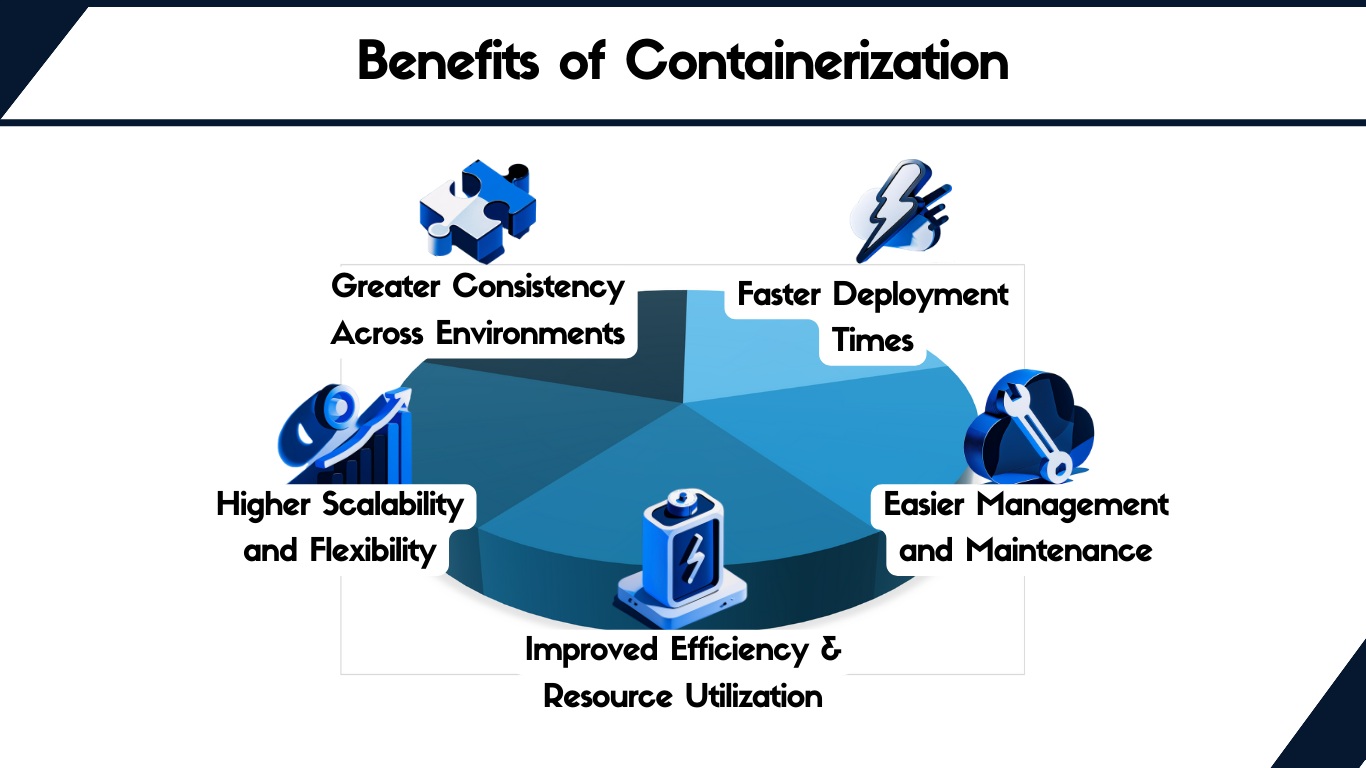
- Packaging: Applications that work locally will behave the same on the server — decoupled from host environment.
- Consistent Deployment: Build once, run anywhere (test/staging/production) using the same image.
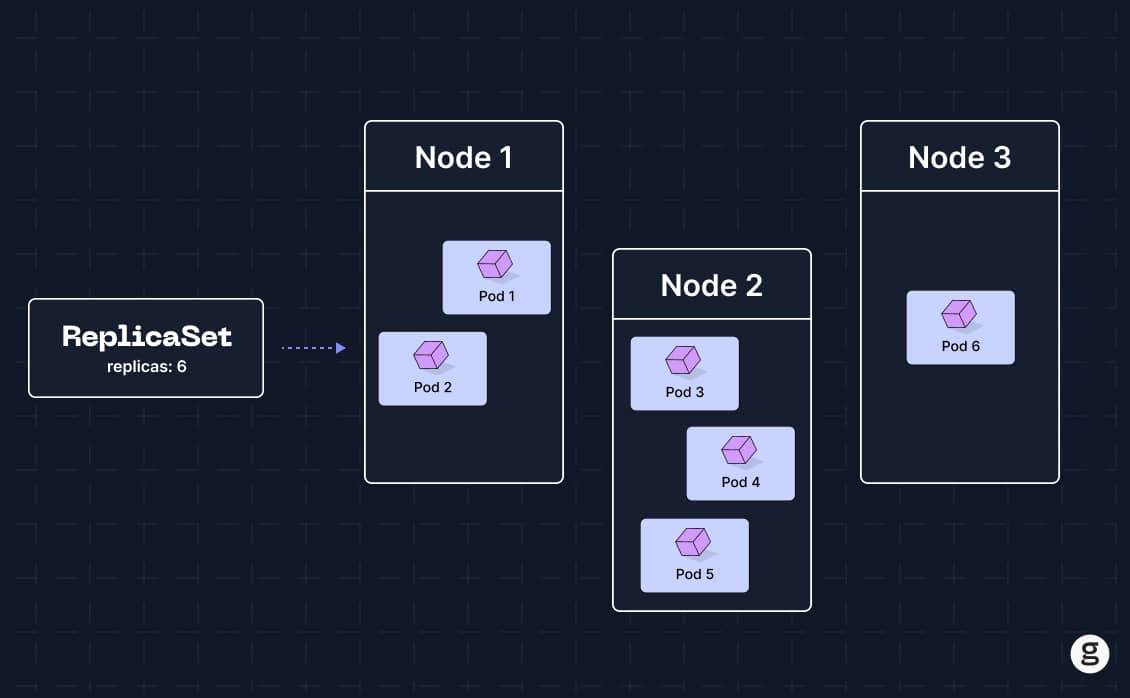
- Easy Scaling: Increase instances via command line — no OS-level setup needed.
- Versioning & Rollback: Deploy specific versions using image tags (
docker tag,docker pull,docker run). - Automation / CI-CD: Push/pull container images in CI/CD pipelines without repetitive setup or configuration.
Key Docker Concepts
-
Image: Immutable snapshot including code, libraries, configs, and environment — used to create containers.
-
Container: A runtime instance of an image.
-
Dockerfile: Script defining how to build an image (base image, files to copy, libraries to install, exposed ports, default commands, etc.).
-
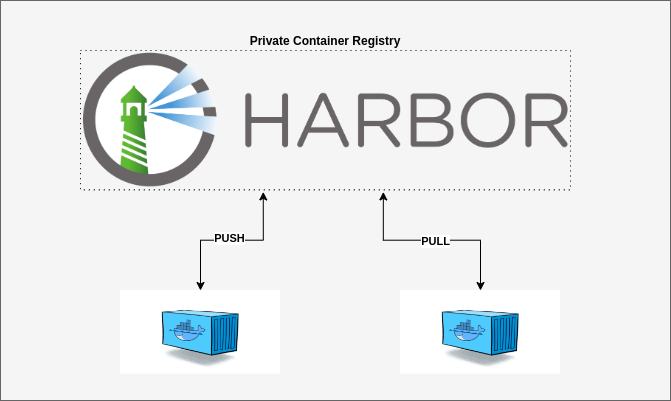
Registry: Repository for storing images (e.g., Docker Hub, Harbor, AWS ECR).
-
Volume: Mount point to persist data from the host into the container (logs, databases, uploads, etc.).
-
Network: Virtual networking that links containers or connects them to external networks.
-
docker-compose: Tool to define and run multi-container applications (e.g., microservices, databases, frontend).
Basic Docker Workflow
A. Build → Push → Run
- Write a
Dockerfile(e.g., for a Flask/Python app).
# syntax=docker/dockerfile:1
FROM python:3.11-slim
WORKDIR /app
COPY requirements.txt
RUN pip install -r requirements.txt
COPY
EXPOSE 5000
CMD ["python", "app.py"]
- Build the image with
docker build.
docker build -t myapp:lastest .
- Run the container using
docker run.
docker run -d -p 5000:5000 --name myapp-instance myapp:latest
- Push the image to a registry (for CI/CD, team sharing, or production).
docker tag myapp:latest your_dockerhub/myapp:1.0
docker push your_dockerhub/myapp:1.0
B. Use docker-compose (Multi-container setup: e.g., Flask + PostgreSQL)
docker-compose.yml example:
version: '3'
services:
  web:
    build: .
    ports:
      - "5000:5000"
    depends_on:
      - db

  db:
    image: postgres
    volumes:
      - pgdata:/var/lib/postgresql/data

volumes:
  pgdata:
Benefit: Spin up the entire dev/test/staging stack with one command.
C. Working with Volumes and Networks
Volume
- Volumes store data independently from the container lifecycle.
- When a container is deleted, volume data persists.
- Use cases: persistent database storage, log retention, file uploads, configuration files.
docker run -d --name mydb -v $PWD/data:/var/lib/mysql mysql:5.7
Network
Docker networks allow containers to communicate internally or with the external world.
Common types:
bridge(default): Enables internal communication between containers on the same host.host: Shares host’s network stack.overlay: Connects containers across multiple hosts (used in Swarm/Kubernetes).none: Isolates containers without any networking.
Use cases: traffic isolation, service discovery, security segmentation, network-layer control.
docker network create mynet
docker run -d --name app1 --network
mynet myimage
docker run -d --name db1 --network mynet mydbimage
Docker in CI/CD & DevOps
- Build container images directly in CI/CD pipelines (GitHub Actions, GitLab CI, Jenkins, etc.).
- Push to a registry — deploy targets simply pull by tag.
- Immutable images allow for rapid test/deploy automation without environment drift issues.
Image Management: Tagging, Multi-Stage Build, and Layering
-
Tag images (e.g.,
v1,v1.0.1, commit SHA) for version control. -
Use multi-stage builds to keep production images minimal — only copy required artifacts.
-
Each instruction in a
Dockerfilecreates a layer:- Fewer layers = better cache, smaller images, easier management.
FROM golang:1.21 AS builder
WORKDIR /src
COPY .
RUN go build -o app
FROM debian:bookworm-slim
COPY --from=builder /src/app/app
ENTRYPOINT ["/app"]
Docker Security Best Practices
-
Avoid running as root inside containers unless necessary.
-
Keep base images updated.
-
Use registries with vulnerability scanning features.
-
Never embed secrets or sensitive env vars directly into the image:
- Use
.envfiles, secret managers, or runtime injection.
- Use
When Not to Use Docker
- For simple apps with minimal dependencies and full control over the environment.
- When virtualization or containerization is restricted by policy or hardware.
- For heavy workloads where a dedicated VM might still be more efficient.